Intro add-on sentence (after the first paragraph): “TextConvo sees the best results when voice AI is treated like a measurable workflow—complete with routing rules, consent, and a clean handoff to agents—rather than a standalone phone bot.”
Body add-on sentence (add to the ‘Intake, triage, and routing’ section): “If you’re already using TextConvo for conversational SMS, you can use the same customer context and opt-in history to power smarter escalations and follow-ups after the call.”
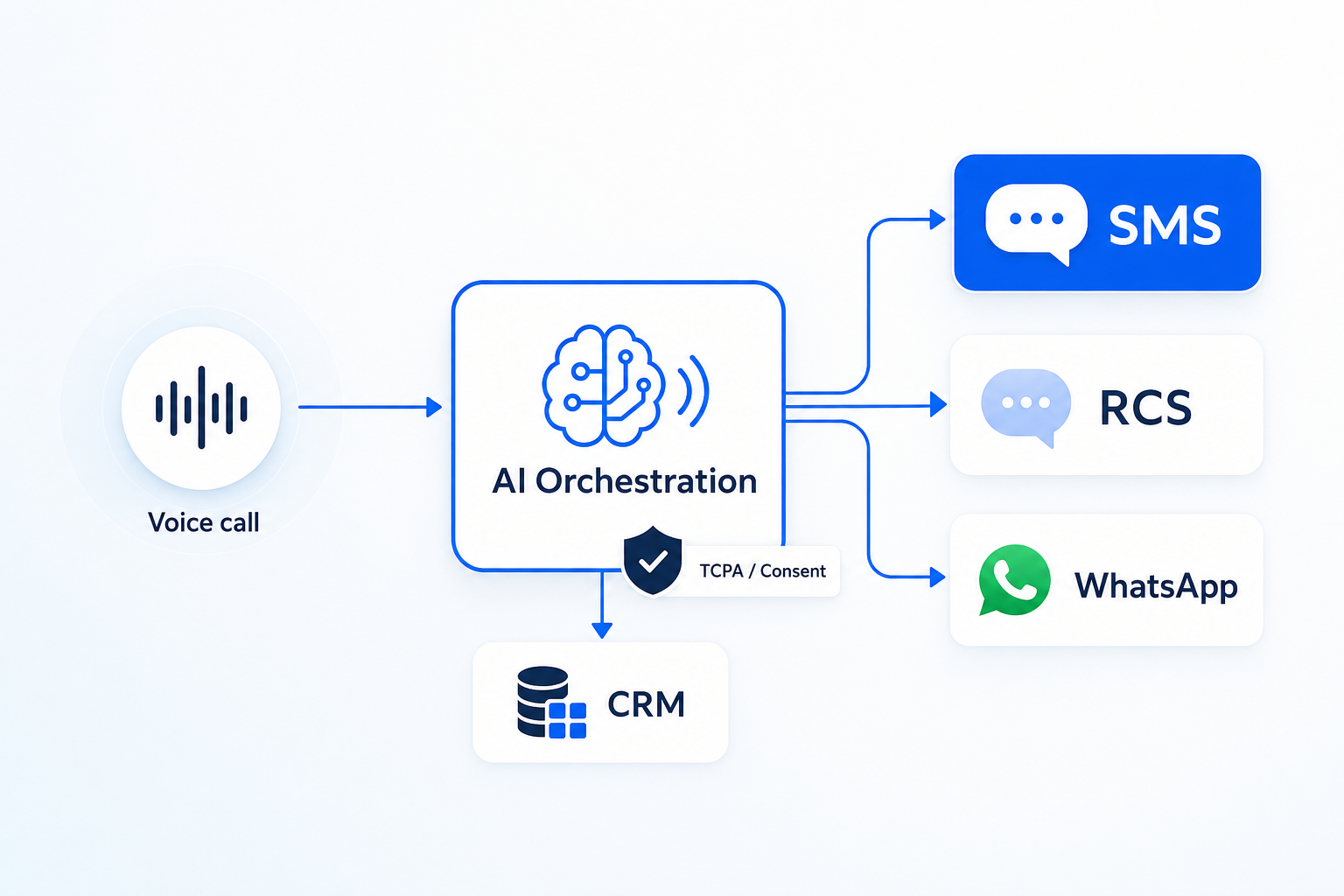
Body add-on sentence (add to the multi-channel ‘move to the best channel’ section): “TextConvo can automatically send the right next-step message (status link, payment request, appointment slots) based on what the caller said, so the customer finishes faster in the channel they prefer.”
At TextConvo, we spend a lot of time helping teams operationalize conversational experiences—especially in SMS and multi-channel messaging—so customers get answers fast and businesses stay compliant. The same playbook applies to voice: design the workflow, define what “success” means, and make escalation seamless.
What is voice AI in customer support (and why it’s different now)
Voice AI refers to AI-driven agents that can understand spoken language, respond conversationally, and complete tasks over the phone. It typically combines:
- Automatic speech recognition (ASR): turns speech into text
- Natural language understanding (NLU): interprets intent (what the caller wants)
- Decisioning/workflow logic: determines next steps (ask a question, fetch account info, route to agent)
- Natural language generation (NLG) + text-to-speech (TTS): creates a natural spoken response
- Integrations: CRM, ticketing, order systems, scheduling, payments, knowledge base
What’s changed recently is less about “AI can talk” and more about AI can do:
- Better intent recognition in messy, real-world conversations
- More natural turn-taking (fewer “say that again” loops)
- Lower friction to integrate with support stacks
- Smarter escalation to humans with context summaries
For business owners and marketers, the strategic question isn’t “Should we use AI?” It’s:
Where can voice AI reduce cost and friction without harming trust?
Where voice AI actually works: high-volume, low-ambiguity workflows
Voice AI delivers the best ROI when the conversation is frequent, structured, and resolves cleanly. In practice, that often means:
1) Call deflection for status and basic account questions
Great fits include:
- Order status / shipping updates
- Appointment reminders and confirmations
- Store hours and location info
- Password resets / account access triage
- Simple billing questions (“What’s my balance?”)
Why it works: the intent is clear, the data source is known, and the “happy path” is short.
2) Intake, triage, and routing (the “front desk” role)
Voice AI can act as a 24/7 receptionist for support:
- Identify the reason for the call
- Collect critical details (email, order ID, product model)
- Classify urgency (e.g., outage vs. “how-to”)
- Route to the right team or create a ticket
Key advantage: your human agents start with context instead of starting from zero.
3) After-hours coverage without a full night shift
A well-designed voice AI flow can:
- Capture issue details
- Offer self-serve answers
- Schedule a callback
- Escalate to an on-call human for true emergencies
For many businesses, this is the first “safe” deployment because it reduces missed calls without immediately changing daytime operations.
4) Payment links, scheduling, and confirmations via multi-channel messaging
Voice AI becomes far more effective when it can move the customer to the best channel for the next step.
Examples:
- Voice call → send a secure payment link via SMS
- Voice call → send appointment options via SMS
- Voice call → send troubleshooting steps with images via SMS
This is where tools like TextConvo can complement voice workflows—especially when you need conversational SMS, consent tracking, and automation. Many teams pair voice intake with our SMS automation platform so customers can complete tasks quickly without staying on a call.
The business case: what voice AI can improve (and what it can break)
Voice AI can create meaningful operational leverage, but only if you measure the right outcomes.
What it can improve
- Speed to resolution: fewer transfers, fewer “hold” loops
- Agent productivity: handle routine requests automatically
- Coverage: nights/weekends without staffing overhead
- Consistency: same policy and tone every time (when managed well)
- Lead capture and qualification: convert “support” calls into upsell/cross-sell moments when appropriate (carefully)
What it can break (if you’re careless)
- Customer trust: overly human-sounding AI, unclear disclosures, or wrong answers
- Brand experience: robotic scripts, long confirmation loops, frustrating escalation
- Compliance posture: recording disclosures, consent, data handling, opt-out preferences
- Support KPIs: deflection that increases repeat contacts or escalations
The fastest way to lose support credibility is to optimize for “calls handled” while customers quietly suffer.
Voice AI use cases by industry (practical examples)
You don’t need a massive contact center to benefit. Here are realistic scenarios by business type:
Home services (HVAC, plumbing, electrical)
- Triage emergencies vs. non-urgent requests
- Capture address, issue description, preferred appointment windows
- Confirm service fees or dispatch policies
- Text appointment confirmations and reminders
Healthcare (non-clinical support)
- Appointment scheduling and rescheduling
- Insurance eligibility prompts (where allowed)
- Directions, hours, prep instructions
- Post-visit billing questions (with careful compliance)
E-commerce and retail
- Order status, returns, exchanges
- Store inventory checks (where integrated)
- Warranty and product registration
- Loyalty points and balance checks
B2B SaaS
- Password/access triage
- Incident intake and severity classification
- License and billing routing
- Renewal questions routed to the right owner
If you want to pressure-test what’s working in real organizations, reviewing real-world use cases can help you map “common workflows” to your own support volume and systems.
Designing voice AI flows that customers don’t hate
Voice AI succeeds or fails in the flow design. A helpful standard is: short, specific, and reversible.
Principles that reduce friction
- Start with a clear disclosure: “I’m an automated assistant” (simple and honest)
- Offer a fast escape hatch: “Say ‘agent’ at any time” and actually honor it
- Use narrow questions: one detail at a time (order number, then ZIP)
- Confirm only what matters: don’t repeat entire paragraphs back to the caller
- Avoid long monologues: keep responses under ~10–15 seconds when possible
A practical “golden path” template
- Identify intent (status, scheduling, billing, technical, other)
- Collect minimal identifiers (order ID, phone, email, ZIP)
- Attempt resolution (answer from system/KB)
- Offer next best action (text link, schedule callback, transfer)
- Capture outcome + summarize (for reporting and agent handoff)
Escalation should feel like service, not failure
When the AI can’t resolve a request, the best experience is:
- “I’m going to connect you with a specialist.”
- Provide a brief recap of what was collected.
- Transfer with context to reduce repetition.
Even better: if wait times are high, give the customer the choice to switch channels (“I can text you updates and a link to finish this faster”).
The hidden requirements: integrations, data, and governance
Voice AI isn’t just a “phone bot.” It’s a layer that touches data systems and customer identity.
Integration checklist
At minimum, plan for:
- CRM/contact lookup (Salesforce, HubSpot, etc.)
- Ticketing (Zendesk, Freshdesk, ServiceNow, Jira)
- Order/billing systems (Shopify, Netsuite, Stripe, custom ERPs)
- Knowledge base (Confluence, Notion, Guru, internal docs)
- Scheduling (Calendly, internal dispatch tools)
The more your voice AI can “read” and “write” to these systems, the less it becomes a fancy FAQ.
Data quality matters more than model choice
A common failure mode: the AI can talk, but it can’t reliably find the right customer or the right order.
Prioritize:
- Consistent identifiers (phone number normalization, account IDs)
- Clean, current knowledge articles
- Well-defined escalation rules
- Clear ownership for “what is the source of truth?”
Governance: who owns what
Voice AI needs operational ownership like any other support system.
Define owners for:
- Conversation design and tone
- Knowledge base updates
- Escalation rules
- Reporting and QA
- Compliance and legal review
Without governance, voice AI degrades over time as policies change.
Compliance and trust: what businesses must get right
Voice introduces unique trust and compliance challenges because customers interpret voice as “more human” than chat.
Core compliance considerations (general guidance)
- Disclosure: let callers know they’re interacting with an automated system
- Call recording rules: vary by jurisdiction; ensure your recording notice and consent model is correct
- Data minimization: collect only what’s needed for the task
- Authentication: don’t expose sensitive data without proper verification
- Retention and access controls: store transcripts and recordings securely
If your support experience spans SMS as well, be disciplined about opt-in/opt-out and consent tracking. Customers should not be surprised by follow-up messages, and preferences should carry across channels when possible.
Practical step: involve your compliance lead early and document what your voice AI can and cannot do.
KPIs that tell you whether voice AI is working
Avoid vanity metrics like “% automated” in isolation. Track customer outcomes and operational impact together.
Operational KPIs
- Containment rate (resolved without agent)
- Average handle time (AHT) for escalated calls (should decrease)
- Call abandonment rate
- After-hours capture rate (messages/tickets created)
- Agent utilization and backlog
Customer experience KPIs
- First contact resolution (FCR)
- Repeat contact rate within 7 days
- CSAT by reason for contact
- Escalation satisfaction (how customers feel after a handoff)
Quality controls
- Random call reviews (human QA)
- “Failure bucket” tagging (misrouting, misunderstanding, integration error)
- Knowledge accuracy audits (especially after product/policy changes)
A simple rule: if containment increases but repeat contacts also increase, your AI is deflecting—not resolving.
Implementation roadmap: a practical 30–90 day plan
Most teams succeed when they roll out voice AI iteratively.
Phase 1 (Weeks 1–3): pick one workflow and instrument it
- Choose a single high-volume use case (status, scheduling, intake)
- Define success metrics (containment, FCR, CSAT)
- Map the “happy path” and top 10 edge cases
- Set escalation rules and staffing coverage
Phase 2 (Weeks 4–8): integrate and harden
- Connect to your ticketing/CRM
- Implement authentication where needed
- Add fallback behaviors (callback scheduling, SMS follow-ups)
- Launch to a subset of callers or a specific queue
Phase 3 (Weeks 9–12): expand, optimize, and add channels
- Expand to 2–3 additional intents
- Improve routing logic based on real transcripts
- Add proactive messaging (e.g., outage notifications)
- Introduce multi-channel handoffs (voice → SMS/WhatsApp)
If you’re evaluating how to structure multi-channel workflows end to end, it’s worth contact our team to talk through routing, consent tracking, and automation design.
Actionable takeaways for business owners and marketers
- Start narrow. Pick one workflow where customers want speed more than nuance.
- Design for escape. Make “agent” easy, fast, and respectful.
- Treat voice AI like an ops system. Assign owners, QA it, and update it.
- Measure resolution, not deflection. Watch repeat contacts and FCR.
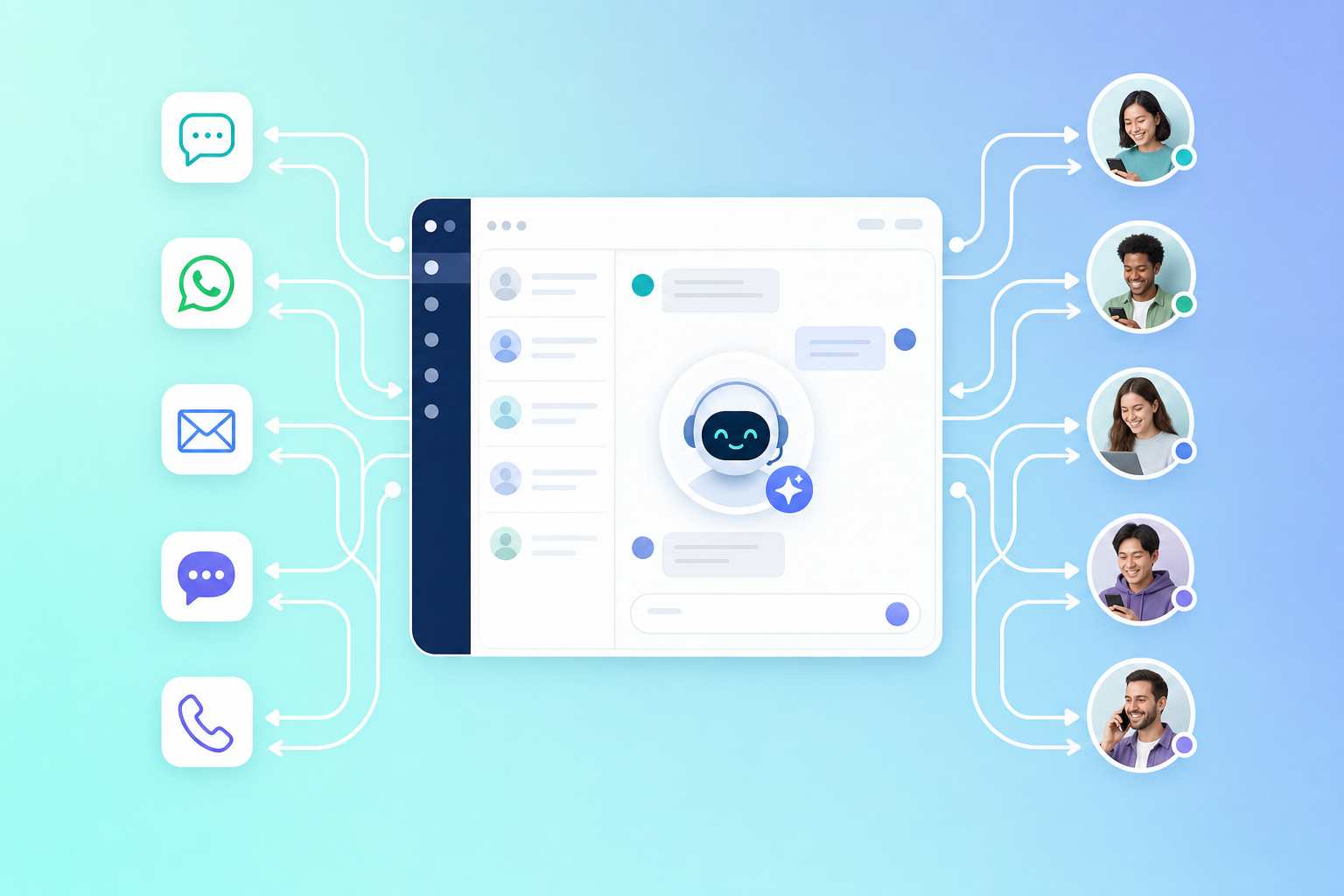
- Use voice + messaging together. Voice is great for urgency; SMS is great for links, confirmations, and asynchronous follow-through.
Frequently Asked Questions
1) Will voice AI replace human support agents?
In most businesses, voice AI reduces repetitive workload and improves coverage, but it doesn’t replace the need for humans—especially for exceptions, emotional situations, negotiation, and complex troubleshooting. The most effective teams use voice AI to protect agent time for high-value cases.
2) What’s the difference between voice AI and traditional IVR?
Traditional IVR is menu-driven (“Press 1 for billing”). Voice AI is conversational: callers can say what they want in their own words, and the system can ask follow-up questions, look up data, and route intelligently. Done well, it feels like a faster front desk rather than a phone maze.
3) How do we keep voice AI from giving wrong answers?
Use a controlled knowledge source (approved articles), limit what the AI is allowed to answer, and implement a fallback to an agent when confidence is low. Also run routine QA: review transcripts, tag failures, and update content after product or policy changes.
4) Should we connect voice AI to SMS?
Often, yes. Many support tasks require a link, a photo, or an asynchronous step (payment, scheduling, instructions). Sending a follow-up text can shorten calls and reduce repeat contacts—just make sure your consent tracking and opt-out handling are solid.
5) How quickly can a business launch voice AI in support?
If you start with a narrow use case and have clean data sources, pilots can launch in weeks—not months. Timelines stretch when authentication, complex integrations, or compliance reviews are required. The best approach is phased rollout with clear KPIs.
Conclusion: voice AI is a support strategy, not a feature
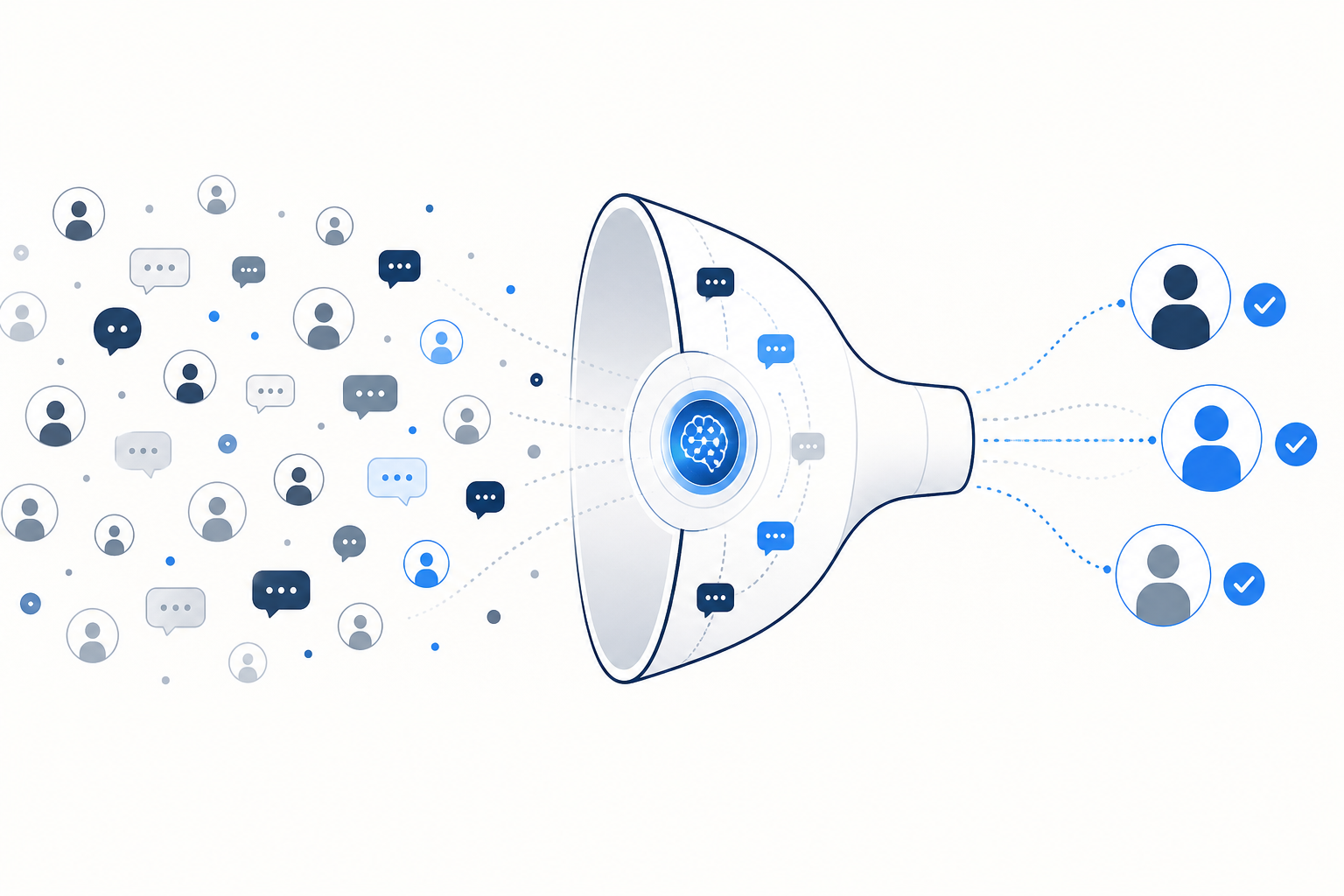
Treat voice AI for customer support workflows as an AI decision engine that makes real-time decisions—not just a talkative interface. When you model calls as signal-based AI (intent, sentiment, customer tier, authentication confidence, and issue severity), you can trigger intelligent workflows that choose the next-best action automatically: resolve, escalate, or shift channels. Pair that with automated routing and channel selection so a billing dispute goes straight to a specialist, while a delivery update moves to SMS with a tracking link. This approach turns automation into a governed operating system, not a patchwork of scripts.
Voice AI in customer support can be a competitive advantage—faster response, better coverage, and lower operational strain—when it’s designed around real customer intent and backed by solid workflows, integrations, and governance. The winning teams don’t ask voice AI to do everything; they ask it to do the right things consistently, and they connect it to the channels customers actually use to finish tasks.
See how TextConvo can help — visit textconvo.ai to get started.
Author: TextConvo Team
🚀 See TextConvo in action
- 👉 Explore our Product
- 👉 View real Use Cases
- 👉 Contact us to get started
Tags